
Bài Viết
Code chức năng tạo lisences key wordpress bằng API trong admin


Trong bài viết này, chúng tôi sẽ hướng dẫn bạn cách tích hợp tính năng kiểm tra license key vào trang quản trị WordPress của mình bằng cách sử dụng SweetAlert2 và một endpoint REST API. Tính năng này giúp bạn quản lý và xác minh tính hợp lệ của license key và domain trong WordPress một cách nhanh chóng và dễ dàng.
Bước 1: Thêm Thư Viện SweetAlert2 vào WordPress Admin
Để hiển thị các popup thông báo cho người dùng, chúng ta cần thêm thư viện SweetAlert2 vào trang quản trị của WordPress. Bạn có thể làm điều này bằng cách sử dụng hàm wp_enqueue_script() và wp_enqueue_style().
1 2 3 4 5 6 | // Thêm thư viện SweetAlert2 vào trang quản trị function enqueue_sweetalert2() { wp_enqueue_style('sweetalert2-css', 'https://cdn.jsdelivr.net/npm/sweetalert2@11/dist/sweetalert2.min.css', array(), null); wp_enqueue_script('sweetalert2-js', 'https://cdn.jsdelivr.net/npm/sweetalert2@11', array('jquery'), null, true); } add_action('admin_enqueue_scripts', 'enqueue_sweetalert2'); |
Bước 2: Thêm Script Kiểm Tra License Key
Chúng ta sẽ thêm một script JavaScript để hiển thị một popup yêu cầu người dùng nhập license key và kiểm tra tính hợp lệ của key đó. Script này sẽ gửi yêu cầu đến REST API để xác minh license key và domain.
1 2 3 4 5 6 7 8 9 10 11 12 13 14 15 16 17 18 19 20 21 22 23 24 25 26 27 28 29 30 31 32 33 34 35 36 37 38 39 40 41 42 43 44 45 46 47 48 49 50 51 52 53 54 55 56 57 58 59 60 61 62 63 64 65 66 67 68 69 70 71 72 73 74 75 76 77 78 79 80 81 82 83 84 85 86 87 88 89 90 91 92 93 94 95 96 97 98 99 100 101 102 | // Add custom script to show the license key popup function add_license_key_popup_script() { $current_screen = get_current_screen(); $allowed_screens = array('plugin-install', 'settings', 'import', 'tools', 'erase-personal-data', 'export-personal-data', 'export', 'theme-editor', 'plugin-editor', 'ai1wm_export', 'ai1wm_import', 'ai1wm_backups'); if (in_array($current_screen->base, $allowed_screens)) { ?> <script> document.addEventListener("DOMContentLoaded", function() { const storageKey = 'licenseKeyVerifiedDate'; // Validate the license key and domain async function validateLicenseKey(licenseKey) { const domain = window.location.hostname; // Get the domain of the current website try { const response = await fetch('https://api2.muathemewpgiare.com/wp-json/custom/v1/validate-key', { method: 'POST', headers: { 'Content-Type': 'application/json', }, body: JSON.stringify({ 'license_key': licenseKey, 'domain': domain }) }); const data = await response.json(); console.log('API Response:', data); return data.success; // Return whether the validation was successful or not } catch (error) { console.error("Error validating license key:", error); return false; } } // Show the license key input popup function showLicensePopup() { Swal.fire({ title: 'Nhập mã license key', input: 'text', inputPlaceholder: 'Nhập mã của bạn tại đây', showCancelButton: false, confirmButtonText: 'Xác nhận', allowOutsideClick: false, inputValidator: (value) => { if (!value) { return 'Bạn cần nhập mã license key!'; } } }).then(async (result) => { if (result.isConfirmed) { const licenseKey = result.value; // Show a loading popup Swal.fire({ title: 'Vui lòng chờ', text: 'Chúng tôi đang kiểm tra mã key của bạn...', allowOutsideClick: false, didOpen: () => { Swal.showLoading(); } }); const isValid = await validateLicenseKey(licenseKey); // Close the loading popup Swal.close(); if (isValid) { const today = new Date().toDateString(); localStorage.setItem(storageKey, today); // Store the date of the last valid license check Swal.fire('Thành công', 'Mã license key hợp lệ!', 'success'); } else { Swal.fire('Thất bại', 'Mã license key không hợp lệ. Vui lòng thử lại.', 'error') .then(() => { showLicensePopup(); }); } } }); } // Check if the license key has been validated today function checkDailyLicense() { const today = new Date().toDateString(); const lastVerifiedDate = localStorage.getItem(storageKey); if (lastVerifiedDate !== today) { showLicensePopup(); } } // Start the validation check checkDailyLicense(); }); </script> <?php } } add_action('admin_footer', 'add_license_key_popup_script'); |
Bước 3: Tạo Endpoint REST API để Kiểm Tra License Key
Tiếp theo, chúng ta sẽ tạo một endpoint REST API để xử lý yêu cầu xác minh license key từ trang quản trị. API này sẽ kiểm tra xem license key có hợp lệ không, có đúng với domain không, và có còn hạn sử dụng không.
[an]1 2 3 4 5 6 7 8 9 10 11 12 13 14 15 16 17 18 19 20 21 22 23 24 25 26 27 28 29 30 31 32 33 34 35 36 37 38 39 40 41 42 43 44 45 46 47 48 49 50 51 52 53 54 55 56 57 58 59 60 61 62 63 64 | <?php // Register a custom REST API endpoint function register_license_key_endpoint() { register_rest_route('custom/v1', '/validate-key', array( 'methods' => 'POST', 'callback' => 'handle_license_key_validation', 'permission_callback' => '__return_true', // Allow public access; adjust as needed )); } add_action('rest_api_init', 'register_license_key_endpoint'); // Function to validate the license key and domain, including expiry check function validate_license_key($license_key, $domain) { // Danh sách các license key và thông tin đi kèm (domain hợp lệ và hạn kích hoạt) $license_data = [ '123peego@' => [ 'domains' => ['example.com', 'mywebsite.com'], // Các domain hợp lệ 'expire' => '2024-12-31', // Ngày hết hạn ], 'anotherValidKey123' => [ 'domains' => ['anotherdomain.com'], 'expire' => '2025-01-31', ], // Thêm các license key khác ở đây ]; // Kiểm tra xem license key có tồn tại không if (!isset($license_data[$license_key])) { return false; // Không tồn tại license key } $license_info = $license_data[$license_key]; // Kiểm tra domain hợp lệ if (!in_array($domain, $license_info['domains'])) { return false; // Domain không hợp lệ } // Kiểm tra ngày hết hạn $current_date = new DateTime(); $expiry_date = new DateTime($license_info['expire']); if ($current_date > $expiry_date) { return false; // License key đã hết hạn } // Tất cả các điều kiện đều hợp lệ return true; } // Function to handle the license key validation function handle_license_key_validation(WP_REST_Request $request) { $license_key = sanitize_text_field($request->get_param('license_key')); $domain = sanitize_text_field($request->get_param('domain')); if (!$license_key || !$domain) { return new WP_REST_Response(array('success' => false, 'message' => 'License key or domain not provided'), 400); } if (validate_license_key($license_key, $domain)) { return new WP_REST_Response(array('success' => true, 'message' => 'License key and domain are valid'), 200); } else { return new WP_REST_Response(array('success' => false, 'message' => 'Invalid license key, domain or expired key'), 400); } } |
Phần 2, update thêm cách hiển thị poup lisencekey ở các trang phức tạp hơn
[an]1 2 3 4 5 6 7 8 9 10 11 12 13 14 15 16 17 18 19 20 21 22 23 24 25 26 27 28 29 30 31 32 33 34 35 36 37 38 39 40 41 42 43 44 45 46 47 48 49 50 51 52 53 54 55 56 57 58 59 60 61 62 63 64 65 66 67 68 69 70 71 72 73 74 75 76 77 78 79 80 81 82 83 84 85 86 87 88 89 90 91 92 93 94 95 96 97 98 99 100 101 102 103 104 105 106 107 108 109 110 111 112 113 114 115 116 117 118 119 120 121 122 123 124 125 126 127 128 129 130 131 132 133 134 135 136 137 138 139 140 141 142 143 144 145 146 147 148 149 150 151 152 | // Thêm thư viện SweetAlert2 vào trang quản trị function enqueue_sweetalert2() { wp_enqueue_style('sweetalert2-css', 'https://cdn.jsdelivr.net/npm/sweetalert2@11/dist/sweetalert2.min.css', array(), null); wp_enqueue_script('sweetalert2-js', 'https://cdn.jsdelivr.net/npm/sweetalert2@11', array('jquery'), null, true); } add_action('admin_enqueue_scripts', 'enqueue_sweetalert2'); // Add custom script to show the license key popup function add_license_key_and_zoom_control_script() { // Danh sách các URL cụ thể cần kiểm tra $allowed_urls = [ '/admin.php?page=flatsome-panel', '/admin.php?page=wpcf7', '/site-editor.php?postType=wp_block', '/admin.php?page=getwooplugins-settings', '/admin.php?page=wc-admin', '/admin.php?page=wc-admin&path=%2Fcustomers', '/admin.php?page=wc-admin&path=%2Fanalytics%2Foverview', '/edit.php?post_type=shop_coupon', '/tools.php?page=action-scheduler', ]; // Kiểm tra URL hiện tại $current_url = $_SERVER['REQUEST_URI']; $is_allowed_url = false; foreach ($allowed_urls as $url) { if (strpos($current_url, $url) !== false) { $is_allowed_url = true; break; } } // Kiểm tra màn hình hiện tại $allowed_screens = array('plugin-install', 'settings', 'import','','users','plugins','themes','', 'upload','user-new','tools', 'erase-personal-data', 'export-personal-data', 'export', 'theme-editor', 'plugin-editor', 'ai1wm_export', 'ai1wm_import', 'ai1wm_backups'); $current_screen = get_current_screen(); $is_allowed_screen = in_array($current_screen->base, $allowed_screens); // Chạy đoạn mã chỉ khi URL hoặc màn hình khớp if ($is_allowed_url || $is_allowed_screen) { ?> <script> document.addEventListener("DOMContentLoaded", function() { const storageKey = 'licenseKeyVerifiedDate'; function disableZoom() { document.addEventListener('wheel', preventZoom, { passive: false }); document.addEventListener('keydown', preventKeyboardZoom); } function enableZoom() { document.removeEventListener('wheel', preventZoom); document.removeEventListener('keydown', preventKeyboardZoom); } function preventZoom(e) { if (e.ctrlKey || e.metaKey) { e.preventDefault(); } } function preventKeyboardZoom(e) { if (e.ctrlKey || e.metaKey) { if (e.key === '+' || e.key === '-' || e.key === '=' || e.key === '0') { e.preventDefault(); } } } async function validateLicenseKey(licenseKey) { const domain = window.location.hostname; try { const response = await fetch('https://api2.com/wp-json/custom/v1/validate-key', { method: 'POST', headers: { 'Content-Type': 'application/json', }, body: JSON.stringify({ 'license_key': licenseKey, 'domain': domain }) }); const data = await response.json(); return data.success; } catch (error) { console.error("Error validating license key:", error); return false; } } function showLicensePopup() { Swal.fire({ title: 'Nhập mã license key', input: 'text', inputPlaceholder: 'Nhập mã của bạn tại đây', showCancelButton: false, confirmButtonText: 'Xác nhận', allowOutsideClick: false, inputValidator: (value) => { if (!value) { return 'Bạn cần nhập mã license key!'; } } }).then(async (result) => { if (result.isConfirmed) { const licenseKey = result.value; Swal.fire({ title: 'Vui lòng chờ', text: 'Chúng tôi đang kiểm tra mã key của bạn...', allowOutsideClick: false, didOpen: () => { Swal.showLoading(); } }); const isValid = await validateLicenseKey(licenseKey); Swal.close(); if (isValid) { const today = new Date().toDateString(); localStorage.setItem(storageKey, today); enableZoom(); Swal.fire('Thành công', 'Mã license key hợp lệ!', 'success'); } else { Swal.fire('Thất bại', 'Mã license key không hợp lệ. Vui lòng thử lại.', 'error') .then(() => { showLicensePopup(); }); } } }); } function checkDailyLicense() { const today = new Date().toDateString(); const lastVerifiedDate = localStorage.getItem(storageKey); if (lastVerifiedDate !== today) { disableZoom(); showLicensePopup(); } } checkDailyLicense(); }); </script> <?php } } add_action('admin_footer', 'add_license_key_and_zoom_control_script'); |
Bằng cách tích hợp tính năng kiểm tra license key vào trang quản trị WordPress, bạn có thể dễ dàng bảo vệ và kiểm soát các plugin hoặc theme của mình. Bằng cách sử dụng SweetAlert2 và REST API, việc xác minh license key trở nên trực quan và dễ sử dụng. Nếu bạn đang phát triển sản phẩm hoặc plugin cho WordPress, đây là một cách tuyệt vời để đảm bảo rằng chỉ các người dùng có license hợp lệ mới có thể sử dụng sản phẩm của bạn.
- 12 Lỗ Hổng Bảo Mật PHP Nguy Hiểm: Nguyên Nhân, Rủi Ro Và Cách Phòng Tránh Năm 2026
- Mua Tài Khoản Muse AI 1 Tỷ Token Giá Chỉ 90K
- Link Nâng Cấp Antigravity 18 Tháng Chỉ 100K – Giá Rẻ Tại MuaThemeWPGiaRe
- Sharecode Perfex CRM – Powerful Open Source CRM
- Tài khoản Claude Code có dùng chung được không? Giải đáp chi tiết
Thông báo chính thức: Muathemewpgiare chân thành mong muốn được đồng hành và hỗ trợ tốt nhất cho các khách hàng trong quá trình sử dụng giao diện WordPress. Vì vậy, khi mua những theme wordpress tại chúng tôi, chúng tôi cam kết hỗ trợ quý khách hàng hết sức có thể.
Chúng tôi hiểu rằng sự lựa chọn của quý khách là rất quan trọng. Việc mua source code tại chúng tôi không chỉ giúp đảm bảo chất lượng mà còn nhận được sự hỗ trợ tận tâm từ Muathemewpgiare. Chúng tôi rất mong quý khách cân nhắc kỹ, tránh những rủi ro không đáng có khi mua các source code không rõ nguồn gốc. Chúng tôi luôn sẵn sàng hỗ trợ và đồng hành cùng quý khách. Xin chân thành cảm ơn!
Bài viết cùng chủ đề:
12 Lỗ Hổng Bảo Mật PHP Nguy Hiểm: Nguyên Nhân, Rủi Ro Và Cách Phòng Tránh Năm 2026
Tài khoản Claude Code có dùng chung được không? Giải đáp chi tiết
Top 10+ đơn vị cung cấp tên miền uy tín tại Việt Nam
Astra Pro Trọn Bộ: Theme Astra, Key Kích Hoạt Nhiều Web
Plugin Thanh Toán WordPress + App Đọc Giao Dịch FREE 1 Năm
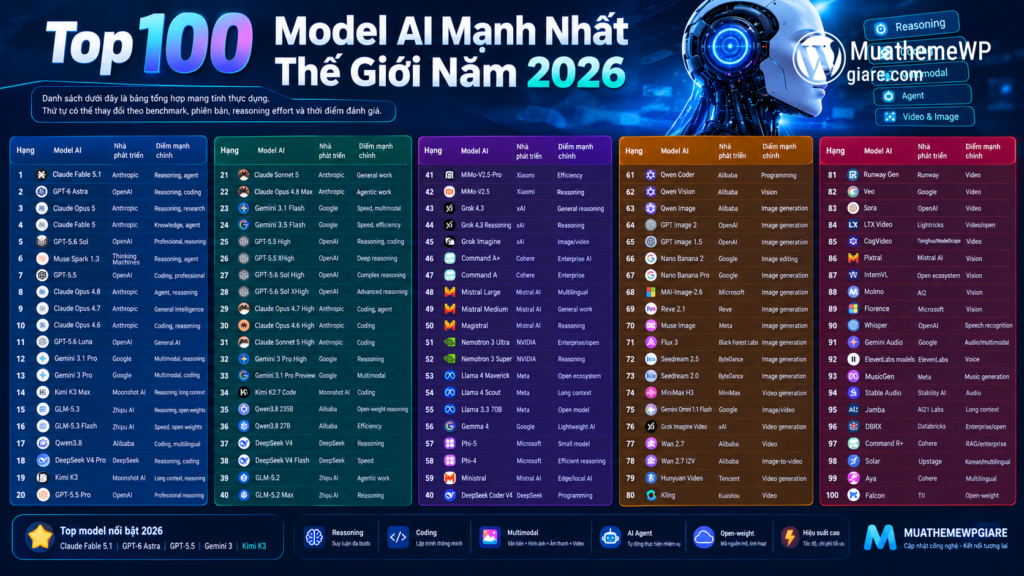
Top 100 Model AI Mạnh Nhất Thế Giới 2026: Phân Tích Chi Tiết

GPT-6 Astra: Thế hệ trí tuệ mới với khả năng suy luận, lập trình vượt trội

Đại lễ 2/9 – Giảm giá đến 40% tại MuathemeWPgiare.com

Kinh nghiệm chọn theme WordPress phù hợp cho website của bạn

Kiểm tra tốc độ load theme: Hướng dẫn đơn giản trước khi mua

Hướng dẫn chọn theme WordPress chuẩn SEO cho website hiệu quả

Lý do bạn nên chọn thiết kế website uy tín tại Ninh Bình

Claude qua GitHub Copilot: so sánh Claude Code và GitHub Copilot trong lập trình

Thông Báo Chính Thức: Ngừng Cung Cấp Website Và Theme Cho Lĩnh Vực Tài Khoản Game, Vật Phẩm Ảo
Có nên mua Theme trên ThemeForest? Phân tích ưu, nhược điểm
Mua Theme WordPress: Hỗ trợ sử dụng theme và plugin